Embed in Notion
Notion supports Markdown image syntax. A maproll PNG URL is all you need — paste it into a Notion page as a Markdown image and Notion proxies and displays it inline.
What you'll use
Notion's /image block accepts a URL and renders it inline. You can also type standard Markdown image syntax in a text block:
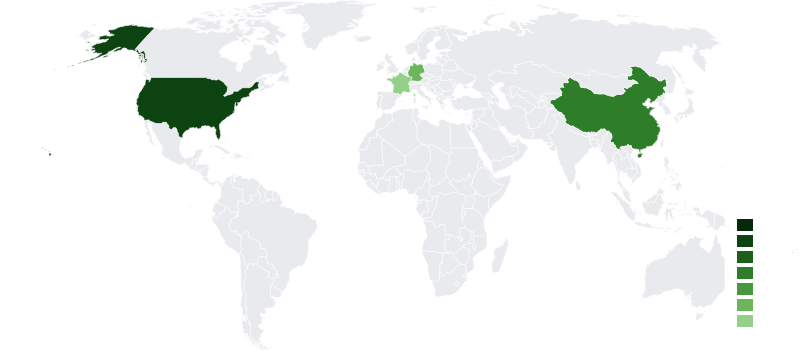
The result appears as a full-width image block in the Notion page.
Steps
-
Build your map URL using the PNG endpoint. Notion does not render SVG inline — always use
.png.https://api.maproll.io/map.png?scope=world&data=US:200,CN:150,DE:95,FR:40&theme=light&width=800 -
Set
width=800. Notion's inline image display area is typically around 800–900 px. Requestingwidth=800means the image is served at exactly the size it will be displayed, avoiding upscaling or downscaling artefacts. -
Paste the Markdown syntax into a Notion page. In a text block, type:
Notion will convert this to an inline image block.
Alternatively, use Notion's
/imagecommand and paste the URL directly. -
The rendered result:

Caveats
- SVG does not display inline in Notion. Use the
.pngendpoint. Notion may attempt to download SVG but will not render it as an image in a page block. - Notion's image proxy caches aggressively. Once Notion has fetched a URL, it may serve the cached version for days even if the underlying render has changed. If you update the data and need Notion to show the new map, change the URL — add or modify a parameter (e.g.
&v=2) to break the cache. - URL length. Notion image blocks accept URLs up to several thousand characters. For complex maps with many data points, switch to the POST endpoint and generate the map server-side, hosting the output PNG at a stable URL of your own. Then reference that URL in Notion.
- No hover tooltips in Notion. SVG
<title>tooltips only work in a browser rendering the SVG directly. PNG embeds in Notion are flat images — annotations are visible only as alt text.
Related
- Embed in HTML —
<img>,<picture>, and Open Graph meta tags for web pages - Size and format —
width,height, PNG vs SVG - GET /map — full query-parameter reference